
Who can join
Suitable for complete beginners; the course starts with foundational design concepts.
Certification
Certificate of completion for students who successfully complete the training.
Training mode
Classroom training in Kharar (Mohali); online and hybrid options as per batch
Website Design & UI/UX Training Program
Good design catches the eye. Great UI/UX keeps people there. At UVSoft Solutions Academy, the practical Website Design & UI/UX Training Program teaches students how to bring these two sides together and create modern, responsive, and easy-to-use websites from the ground up. If you want to grow your design skills and learn Web Designing Mohali, this training offers hands-on learning, real-world project experience, and the confidence to create websites that look great on every device.
Why does one website feel effortless while another feels confusing? The answer often lies in design decisions users barely notice. This Website Design & UI/UX Training helps you understand those decisions and use them when creating your own website interfaces. From wireframes and layout planning to typography, colour psychology, visual hierarchy, spacing, and responsive design, you’ll explore the building blocks of modern website design. You’ll also practise with current design tools and work on live projects that connect your skills with real business requirements. With hands-on guidance, you’ll learn to design with purpose—not just decoration—and build the creative confidence needed to create websites that are attractive, clear, and easy to navigate.
At UVSoft Solutions Academy, the goal is to prepare you for real-world design projects with useful and job-ready skills. By the end of the course, you will be ready to design business websites, landing pages, e-commerce layouts, and modern mobile-friendly interfaces with confidence. You will also build a strong portfolio that supports your future in the digital industry. This program is also a great UI/UX design course for beginners who want to start with basic concepts and progress to professional website design in a simple, practical way.
Learning Objectives
- Understand website design fundamentals and UI/UX principles.
- Create responsive layouts for desktop, tablet, and mobile.
- Build wireframes and prototypes.
- Use professional design tools.
- Design conversion-focused landing pages.
- Improve user experience and navigation.
- Prepare projects for developers.
- Build a strong portfolio.
Course Structure & Modules
Module I
Core subject
Design Basics
Tools & Platforms
UI/UX Concepts
Project Deliverable
Wireframe
Module II
Core subject
Visual Design
Tools & Platforms
Figma, Canva
Project Deliverable
Landing Page Design
Module III
Core subject
Responsive Layouts
Tools & Platforms
Grid & Structure
Project Deliverable
Multi-device Design
Module IV
Core subject
Website Projects
Tools & Platforms
Business Sites
Project Deliverable
Portfolio Project
Module V
Core subject
Optimization & Handoff
Tools & Platforms
Collaboration
Project Deliverable
Final Presentation
Detailed Module Breakdown
Module I: Website Design Fundamentals (2 Weeks)
This module focuses on the core fundamentals of professional website design. Before beginning the detailed design process, students will learn about website planning, structure, and layout. This foundation helps them develop an eye for creating elegant, organised, and user-friendly website designs.
- Introduction to Web Designing
Website designing involves planning and creating how a website looks and functions for its visitors. Students will learn the fundamentals of websites, including page layouts, sections, design elements, content, media, buttons, and calls to action.
- Principles of UI and UX
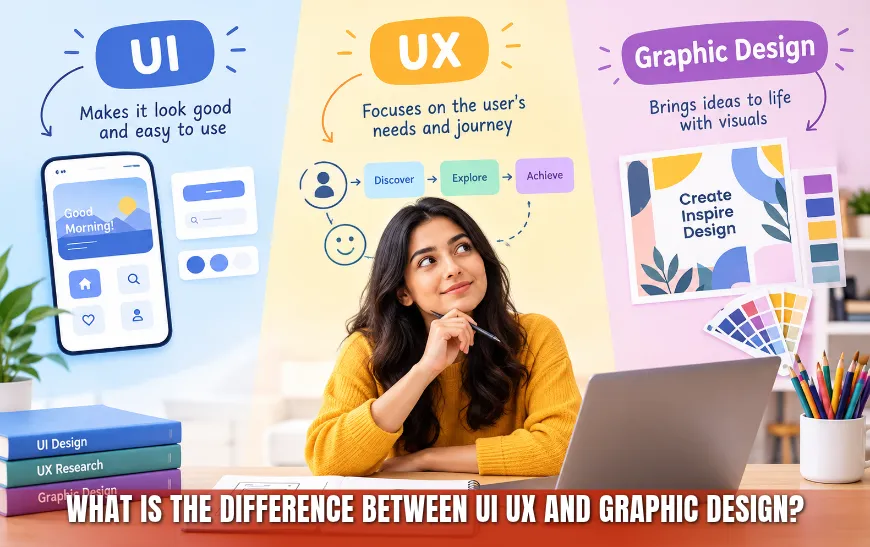
UI and UX are essential elements that determine the overall look, feel, and usability of a website or application. UI focuses on presentation and visual appearance, while UX focuses on usability, navigation, accessibility, and the overall user journey. Students will learn how these principles help create smooth and enjoyable website experiences.
- Colour Psychology
The right colours can attract visitors, establish a brand personality, build trust, and influence user behaviour. Students will learn the fundamentals of colour theory and how to apply colour psychology to create attractive, balanced, and appropriate website designs.
- Typography
Typography plays an important role in website design by improving visual appeal and readability. Students will understand essential typography terms, font categories, typefaces, sizes, weights, spacing, and how to create clear and elegant website content.
- Layout Balance and Visual Hierarchy
A well-designed website layout creates visual balance through proper spacing, alignment, section arrangement, and content organisation. Students will learn layout fundamentals and how to establish a clear visual hierarchy that makes websites easier to read, understand, and navigate.
Activities / Assignments:
- Create a Wireframe for a Company Website
Students will learn how to plan a website before beginning its visual design. In this activity, they will create a website wireframe and arrange important elements such as the header, navigation, content sections, images, services, and CTA buttons.
- Design a Homepage Layout
Students will create a complete homepage layout with an engaging visual design, organised content, suitable imagery, clear navigation, and business-related elements. The layout should be visually appealing, user-friendly, and suitable for different types of website visitors.
Module II: Visual Design & Tools Training (3 Weeks)
This module builds on the fundamentals of website design and helps students develop practical visual design skills. It introduces important design tools and enables students to understand the process of creating professional website interfaces.
- Introduction to Design Software
Students will be introduced to the fundamentals of design software used for website design. With basic knowledge of design tools and essential design principles, they can begin practising and applying practical skills to create professional website interfaces.
- Working with Components and Styles
Components allow designers to create reusable elements such as buttons, cards, navigation items, form fields, and content sections. Students will learn how to work with components, styles, and reusable design elements to maintain consistency throughout a website.
- Creating Banners and Graphics
Website banners and graphics should do more than look attractive; they should communicate a clear message and support the purpose of the page. Students will learn how to create graphics using appropriate content, spacing, visual hierarchy, imagery, typography, and calls to action.
- Landing Page Design
Landing pages are usually designed to achieve a specific objective, such as generating leads, selling a product or service, or encouraging enquiries. Students will learn how to create effective landing pages using relevant headlines, visuals, benefits, offers, calls to action, and trust-building elements.
- Design Systems
Design systems help maintain consistent interface design across websites and other digital products by establishing shared standards. Students will learn how colours, typography, spacing, components, elements, and other design rules can be organised into a consistent design system.
Activities / Assignments:
- Design a Responsive Landing Page
Students will design a responsive landing page that maintains its visual appeal, content structure, and usability across multiple screen sizes. The design should remain easy to read, navigate, and operate on desktop, tablet, and mobile devices.
- Create a UI Kit
Students will create a UI kit containing reusable interface elements and components that can be applied across website designs. It may include buttons, form fields, cards, colours, typography styles, icons, navigation elements, and other design components.
Module III: Responsive Website Design (3 Weeks)
In this module, students learn how to make websites look and function properly on mobile, tablet, laptop, and desktop screens. The module teaches students how to use responsive web design principles to create layouts that automatically adapt to different screen sizes and devices.
- Mobile-First Approach
As more people access the internet through mobile devices, a mobile-first approach helps designers keep website experiences simple, focused, and user-friendly. Students will understand how to begin with a smaller screen and progressively adapt the design for tablets, laptops, and desktops.
- Grid and Alignment
A grid organises design elements into structured columns and rows. Students will learn how to apply grids, spacing, and alignment to create neat and balanced website layouts with properly arranged sections and a clear visual hierarchy.
- Designing for Multiple Screen Sizes
Students will learn how to create websites that look attractive and remain easy to use across mobile phones, tablets, laptops, and desktop computers. They will understand how layout, typography, imagery, spacing, navigation, and other elements should adapt at different screen sizes.
- Navigation and Usability
Navigation and usability are essential parts of website design because they allow visitors to use a website smoothly. Students will learn how to design intuitive navigation that helps users find the required information without confusion or unnecessary effort.
- Accessibility Basics
A visually appealing website may still provide a poor experience if it does not accommodate users with different needs. Students will learn fundamental web accessibility principles, including readable text, sufficient colour contrast, clear navigation, understandable content, and accessible interactive elements.
Activities / Assignments:
- Convert a Desktop Design into a Mobile Layout
Students will create a mobile-responsive version of an existing desktop layout by adapting its navigation, sections, typography, images, spacing, buttons, and other interface elements for a smaller screen.
- Improve the Usability of an Existing Design
Students will review an existing website design, identify usability concerns, and recommend or implement improvements based on the needs and behaviour of its target audience.
Module IV: Real-World Website Projects (3 Weeks)
This module focuses on applying website design skills to real-world projects. By working on multiple types of websites, students will gain hands-on experience and understand how the design approach changes according to the website’s purpose, business goals, content, and target audience.
- Corporate Website Design
Every company needs a professional and elegant website that communicates its business effectively and attracts quality leads. Students will learn how to incorporate company information, services, business offerings, brand guidelines, contact details, and calls to action into an appealing corporate website design.
- Portfolio Websites
A portfolio website provides a creative showcase of a professional’s skills, expertise, and experience. Students will explore the essential concepts and elements of portfolio design and learn how to present projects, skills, achievements, experience, and professional information in an attractive and organised manner.
- E-Commerce Layouts
An online store requires an elegant and organised layout that allows visitors to browse, compare, and purchase products easily. Students will learn about different e-commerce layouts and how to integrate product catalogues, categories, filters, product information, shopping elements, and visual content into an attractive design.
- Blog and Service Pages
Blog and service pages have different content and design requirements from standard business pages. Students will learn how to arrange content, headlines, supporting visuals, benefits, features, additional information, and calls to action to create informative and appealing pages for the target audience.
- Conversion Optimisation
Many websites are designed to encourage visitors to complete a specific action. Students will learn how website structure, content, trust factors, offers, messaging, forms, and CTA elements can be improved to reduce friction and support higher conversion rates.
Activities / Assignments:
- Complete a Multi-Page Website Design
Students will create a complete multi-page website for a selected project or topic. The website should include a suitable layout, consistent visual identity, clear navigation, organised content, responsive designs, and other essential interface elements.
- Complete a Client-Style Revision Process
Students will participate in a practical revision process based on realistic client feedback and project requirements. They will review the requested changes, refine the website design, maintain consistency, and present an updated version for approval.
Module V: Design Delivery & Career Preparation (2 Weeks)
The final module prepares students to deliver completed projects and take on practical website design work in their careers. It introduces industry-level design handoff, collaboration, portfolio preparation, freelancing guidance, client presentation, and interview practices.
- Exporting Assets for Developers
Designers often work closely with developers, making it essential to prepare and share assets correctly for website development. Students will learn how to organise design files, export visual assets, provide specifications, and share the information developers need to implement a website design accurately.
- Collaboration Workflow
Collaboration is necessary for the successful delivery of website design and development projects. Students will understand how designers communicate with developers, clients, and other stakeholders. They will also learn about project revisions, feedback incorporation, design approval, and requirement fulfilment.
- Portfolio Preparation
A strong portfolio can help designers attract employers, clients, and professional opportunities. Students will learn how to select, organise, and present their best project samples to demonstrate their design skills, creative process, practical experience, and expertise.
- Freelancing Platforms Guidance
Students will receive guidance on presenting themselves professionally on freelancing platforms. The training focuses on showcasing their portfolio, defining services, describing relevant skills, preparing project proposals, and communicating effectively with potential clients.
- Interview Preparation
Students will learn how to present their projects, design samples, portfolio, creative process, and practical website design knowledge. This preparation will help them communicate confidently and explain their design decisions during interviews.
Activities / Assignments:
- Create a Professional Design Portfolio
Students will prepare a portfolio containing their strongest project samples, website designs, interface work, and other relevant material that can be presented to potential employers and clients.
- Deliver a Final Client Presentation
Students will present their final project as they would in a real client scenario. They will explain the project requirements, design approach, key decisions, completed work, and how the final design supports the client’s goals.
Why Choose Our Website Design Training?
Our Website Design Training combines practical projects, beginner-friendly learning, industry-relevant tools, portfolio development, certification, and professional guidance to help students develop career-ready website design skills.
- Practical Project-Based Learning
Students gain experience by working on practical design tasks and website projects. This helps them understand how design concepts are applied when creating websites for real business and user requirements.
- Beginner-Friendly
The training starts with the fundamentals of website design, UI/UX, fonts, colours, and page layouts. Students then learn how to create websites that work effectively on mobile devices and computers, complete practical projects, and produce professional website designs.
- Industry-Relevant Tools
Students receive practical exposure to design tools and technologies included in the course, such as HTML, CSS, JavaScript, Figma, WordPress, and Elementor, along with essential UI/UX design concepts.
- Portfolio Development
Students complete practical projects that can be added to their portfolios. A professional portfolio demonstrates their design skills and can support them when applying for jobs, pursuing freelance work, or working with businesses.
- Certification
After successfully completing the course, students can receive a certificate of completion. This can complement their resume and support their applications for website design jobs and freelance opportunities.
- Freelancing & Placement Guidance
The training includes guidance for students who want to explore freelance work or professional opportunities in website designing and UI/UX.
- Experienced Mentors
Mentor support helps students understand design concepts, receive constructive project feedback, improve their work, and develop greater confidence while completing practical assignments.
How you will learn
- Concepts explained step by step in simple language
- Practical assignments after every topic
- Mentor guidance and doubt support during projects
- A portfolio project and career preparation
Professional Website Designing Course with Practical Web Training FAQs
Can I learn website designing without advanced coding knowledge?
Yes. Students can begin with website design fundamentals, UI and UX principles, responsive website design, and other related skills without advanced coding knowledge. The course progressively introduces practical applications and professional website design concepts.
What will I learn in this Website Designing Course?
Students will learn website design fundamentals, UI and UX principles, colour psychology, typography, layout balance, visual hierarchy, Figma, Canva, responsive design, navigation, accessibility, landing page design, corporate websites, portfolio websites, e-commerce layouts, blog and service page design, and more.
Is this Website Designing Course suitable for beginners?
Yes. This Website Designing Course is suitable for complete beginners because it starts with foundational concepts and progresses towards professional skills. Students will develop practical knowledge of responsive design, visual design, real-world projects, design delivery, and portfolio development.
Will I learn Figma?
Yes. Figma is a professional interface design tool used to create website layouts and user interfaces for digital products. It is included in the course to help students develop practical design, prototyping, component creation, and collaboration skills.
Will I learn responsive website design?
Yes. Responsive website design is a core part of the Website Designing Course. Students will learn mobile-first design, grids and alignment, navigation, usability, accessibility, and how to create layouts that work across mobile, tablet, laptop, and desktop screens.
Will I create practical website projects?
Yes. The course includes practical projects such as website wireframes, homepage layouts, responsive landing pages, multi-device designs, corporate websites, portfolio websites, e-commerce layouts, blog and service pages, and a complete multi-page website design.
Will I build a website design portfolio?
Yes. The course helps students create a professional portfolio by developing project samples that demonstrate their website design skills, creative process, practical experience, and ability to handle different types of design requirements.
Can I learn website designing for freelancing?
Yes. The Website Designing Course includes freelancing platform guidance to help students present their portfolios, define their services, create professional profiles, prepare proposals, and communicate effectively with potential clients.
What is the difference between UI and UX?
UI, or User Interface, refers to the visual appearance and interactive elements of a website or digital product. UX, or User Experience, refers to the overall experience users have while navigating, understanding, and interacting with that product.
Will I learn landing page design?
Yes. Landing page design is covered in the Visual Design and Tools module. Students will also complete a responsive landing page assignment to apply their knowledge of layouts, headlines, visuals, benefits, trust elements, and calls to action.
Will I learn e-commerce website layouts?
Yes. The Real-World Website Projects module includes e-commerce website layouts. Students will learn how to organise product catalogues, categories, filters, product details, shopping elements, navigation, and visual content to create an attractive online store design.
Does the course cover WordPress and Elementor?
Yes. WordPress and Elementor are popular website-building platforms and are included among the industry-relevant tools covered by the course.
What career opportunities are available after Website Designing training?
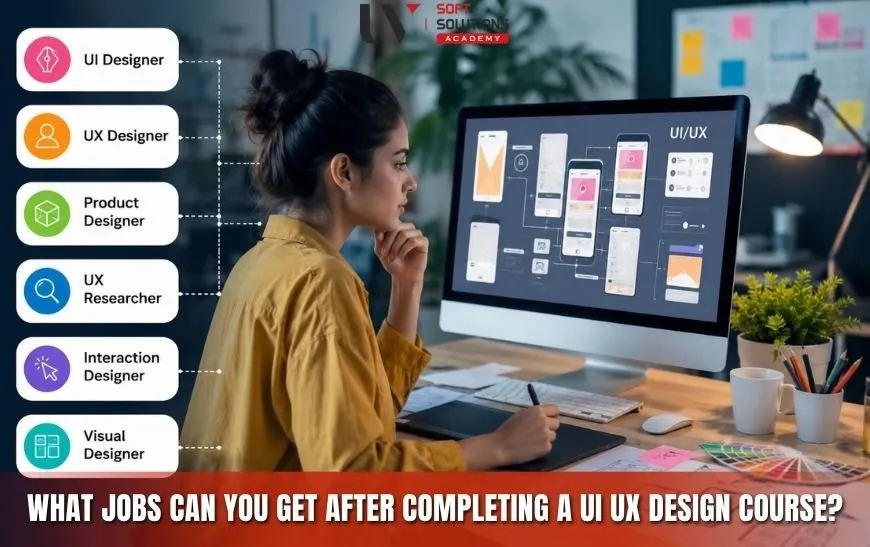
After completing the training, students can explore opportunities in Web Designing, UI Design, UI/UX Design, landing page design, and freelance website design. With a strong portfolio and practical experience, they can also design websites for businesses and individual clients.
How long is the Website Designing Course?
The Website Designing Course has a duration of 90 days, with each training session lasting approximately 1.5 hours.
Where can I learn Website Designing in Mohali?
UVSoft Solutions Academy offers a Website Designing Course with practical web design training in Mohali. The course covers website design fundamentals, responsive design, visual design, Figma, Canva, real-world projects, professional delivery, and portfolio development.
Does the course include certification and career support?
Yes. UVSoft Solutions Academy provides a certificate of completion to students who successfully complete the training. Students also receive freelancing and placement guidance to support their career preparation.